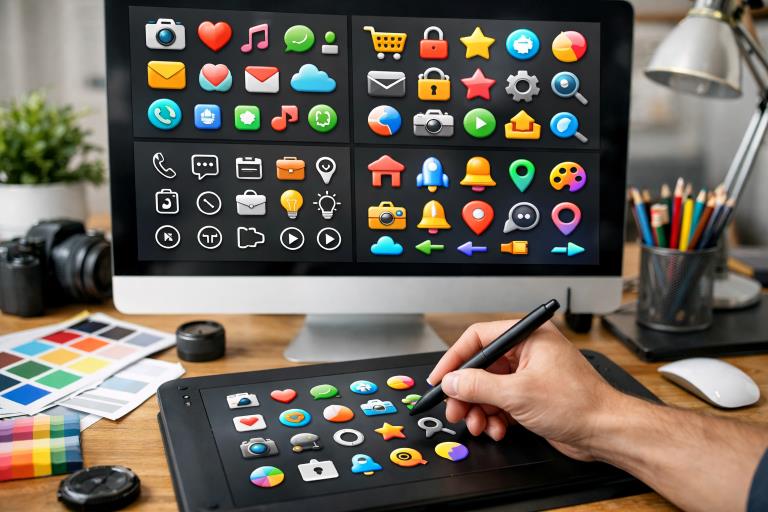
In today’s rapidly evolving digital design landscape, the role of icon packs has expanded dramatically. They are integral not just for enhancing user interfaces but also for delivering engaging and seamless digital experiences. Designers rely on icon packs to capture concepts succinctly, preserve consistent visual messaging, and showcase a brand’s unique personality. As the need for faster, more intuitive, and universally accessible designs grows, so too does the demand for an effective icon maker that allows creators to easily access and customize the perfect visual assets for any project.
Icon packs now serve as both functional tools and creative resources, helping brands and creators tell compelling stories through visuals. Whether building a user-friendly navigation system, reinforcing visual hierarchy, or boosting a digital interface’s aesthetics, icons elevate how users interact with modern software. Understanding the many innovative applications for icon packs will empower designers to create scalable, accessible, and visually exciting experiences.
Enhancing User Navigation
One of the core strengths of icon packs lies in their ability to make digital navigation intuitive. Icons such as a home symbol, a shopping cart, or a magnifying glass for search simplify user journeys by offering clear, instantly recognized cues. These symbols reduce cognitive load by minimizing the amount of reading required, which is particularly beneficial on mobile devices and in apps with limited screen space.
Establishing Brand Identity
Custom-designed icon packs reflect a brand’s unique voice and personality, providing a crucial touchpoint for building trust and recognition. When companies use cohesive icons across web, mobile, and marketing collateral, they reinforce their identity in every user interaction. Tailoring icon styles such as line-based, filled, or hand-drawn to align with brand guidelines ensures consistency and lets a business stand out in competitive markets.
Improving Visual Hierarchy
Paragraphs saturated with information can overwhelm users and diminish retention. By employing icons strategically next to headings, callouts, or lists, designers create visual anchors that guide the user’s eye through the content. This strategic placement allows for faster scanning, highlights essential details, and enables websites and apps to remain clean and readable while still delivering robust information.
Enhancing Aesthetic Appeal
Icons play a vital role in the visual storytelling of any digital project. Modern and stylish icons can infuse personality, warmth, or cutting-edge flair into otherwise minimal or flat designs. For instance, “glowy” icon packs can add a futuristic vibrance and make interactive elements pop, particularly in high-impact digital products such as dashboards or branded landing pages. Their role in contemporary aesthetics is explored further in this TrendHunter feature on glowy icons.
Facilitating Responsive Design
With the diversity of devices in use today, scalable vector icons have become indispensable. Their flexibility allows designers to adapt a user interface to any screen size without compromising clarity or style. Scalable icons ensure continuity across desktops, tablets, and smartphones, sustaining sharpness and legibility that bitmap images often lose when resized.
Supporting Multilingual Interfaces
The global reach of digital products means serving users who speak a multitude of languages. Icons bridge these language gaps by conveying meaning visually instead of relying strictly on text. A universally recognized icon empowers users to complete tasks and understand functionalities regardless of native language, helping designers cater to broader, more international audiences.
Enhancing Accessibility
Icons boost accessibility when implemented thoughtfully. Paired with descriptive alt text and used alongside readable labels, they help users with cognitive or visual impairments better interpret site features. Accessible icon design considers factors like contrast, size, and simplicity, ensuring everyone enjoys a frictionless experience. For deeper insights into inclusive design, the W3C Accessibility Initiative is a valuable resource.
Streamlining Design Workflows
Premade icon packs enable rapid prototyping, faster iterations, and more cohesive designs. Instead of crafting every asset from scratch, designers can select and integrate icons that already share stylistic harmony, cutting down development time and enhancing workflow efficiency. This benefit is particularly critical for agencies and freelance designers managing multiple projects.
Driving Conversion and Engagement
Beyond usability and aesthetics, well-designed icon packs can be essential tools in optimizing digital products for conversion and user engagement. For e-commerce sites and apps, strategically positioned icons such as “add to cart,” “favorite,” or “secure checkout” badges can encourage clicks and instill trust at crucial decision points. Animated or interactive icons further enhance engagement, transforming mundane actions into delightful micro-interactions that keep users returning for more. Thoughtful icon placement often correlates with improved conversion rates and greater retention, elevating the bottom line for businesses.
Adapting to New Technologies
The flexibility of icon packs ensures their place in emerging digital frontiers such as augmented reality (AR), virtual reality (VR), and wearable interfaces. In these contexts, icons aren’t just part of the interface. They become core navigation elements and even part of immersive storytelling. For AR and VR, designers must consider not only icon clarity but also depth, animation, and contextual adaptation. As voice assistants and smartwatches proliferate, developers rely on simple yet expressive icons to convey complex actions through constrained screen sizes and hands-free environments. By remaining adaptive, icon packs help designers move seamlessly into new digital formats.
Enabling Personalization
Modern users increasingly seek personalization in their digital experiences. Icon packs can empower this trend by offering multiple style variations or color themes, letting end users modify interfaces to match their preferences, accessibility needs, or even seasonal events. A finance app, for example, could let users switch between a professional monochrome icon set for work hours and a more playful one for personal budgeting, creating a sense of agency and delight. Such flexibility not only boosts user satisfaction but also provides brands and developers with feedback on which visual directions resonate most.
Looking forward, the evolution of AI-driven design tools is also opening new opportunities in icon customization and generation. Solutions equipped with machine learning can now generate bespoke icons tailored to a project’s exact needs, automatically adjusting style, color, or even animation based on context. This technological advancement promises to further streamline design workflows, support hyper-personalized experiences, and ensure that accessible, well-branded icons remain available to all creators regardless of their technical skill level.
Icon packs have evolved from simple decorative elements into multifunctional design solutions with the power to influence usability, branding, accessibility, and workflow efficiency. By understanding and leveraging their strengths across diverse contexts, designers create engaging, user-focused digital experiences that resonate on every level.