Key Takeaways
- Business email should support daily work, user growth, security, and recovery.
- A company-owned domain gives Nashville businesses a more consistent professional identity.
- Strong email security combines authentication, access controls, backups, and employee habits.
- The best platform depends on budget, team size, required tools, storage, and available support.
- A staged migration helps preserve messages, contacts, calendars, and customer communication.
For a Nashville business, email is often where a customer relationship begins, an invoice is approved, a session is scheduled, or a vendor request is confirmed. Whether a company serves Music Row, downtown offices, neighborhood retailers, or clients across Tennessee, dependable Nashville email services can provide a practical foundation for professional communication.
Email deserves the same care as a website, accounting system, or phone line. A rushed setup built around personal accounts, informal forwarding, and shared passwords can become difficult to manage as a team expands. A company-owned system makes it easier to establish clear account ownership, protect access, and keep communication moving when staff roles change.
What a Business Email System Should Include
A reliable setup starts with a domain that the business controls through its own registrar account. Each employee should have an individual mailbox, while role-based addresses such as sales@, billing@, or support@ can direct messages to the right people without tying a customer relationship to one staff member.
- Individual mailboxes, shared addresses, aliases, and group lists.
- Browser, desktop, and mobile access for approved devices.
- Spam, malware, and phishing filtering.
- Multi-factor authentication, administrator controls, and login alerts.
- Storage, retention, recovery, and documented backup options.
- A straightforward process for onboarding and offboarding users.
How to Compare Email Platforms
Before choosing a provider, use a simple scorecard rather than focusing only on the monthly price. The right service should fit how the business works today while allowing room for a larger team, new devices, and changing client expectations.
- Mailbox capacity: Estimate current storage needs and likely growth.
- Device support: Confirm compatibility with webmail, phones, tablets, Outlook, and approved applications.
- Collaboration tools: Decide whether calendars, file sharing, meetings, and chat belong in the same platform.
- Security controls: Review multi-factor authentication, sign-in policies, spam filtering, and phishing protection.
- Recovery: Ask how deleted mail and damaged accounts can be restored.
- Administration and support: Make sure authorized managers can add users, reset access, and get help during an urgent issue.
- Exit options: Confirm that mail, contacts, and calendars can be exported if the company changes providers.
Email Authentication Basics
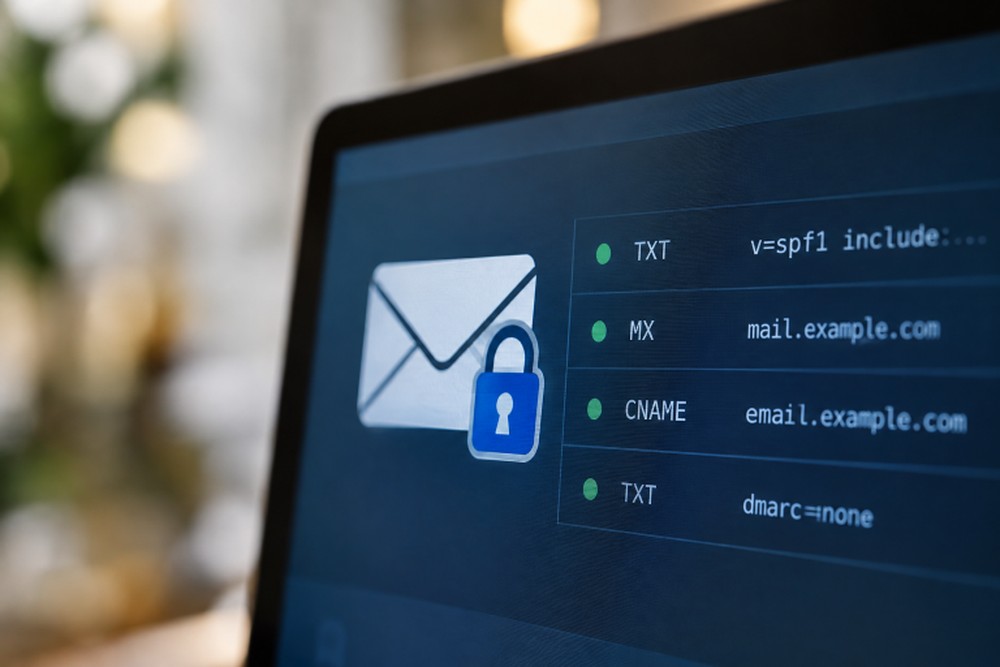
Authentication records in a domain’s DNS settings help receiving mail systems evaluate whether a message is authorized to use that domain. The Federal Trade Commission explains that email authentication tools can make it harder for imposters to send messages that appear to come from a business.
- SPF: Identifies the servers authorized to send mail for a domain.
- DKIM: Adds a digital signature that receiving systems can use to verify a message.
- DMARC: Provides instructions for handling messages that fail alignment checks and can provide reporting.
- MTA-STS and TLS-RPT: can help organizations encourage encrypted mail transport and monitor related policy reports.
These records require careful configuration. A small error can disrupt legitimate sending, especially when a business uses a website form, invoicing platform, marketing tool, or customer relationship system that sends mail on its behalf.
Security Controls That Protect the Inbox
Spam filters are important, but they are only one layer. Require multi-factor authentication for every account, use unique passwords stored in a trusted password manager, and separate administrator accounts from everyday inboxes. Limit administrative privileges and block automatic forwarding to unfamiliar external addresses unless it is specifically approved.
Staff should also know how to pause before acting on urgent requests involving payments, passwords, or bank details. NIST recommends that businesses use email filters, configure email security technologies, and require multi-factor authentication as part of their defenses against phishing attempts. A payment-change request should be verified through a known phone number or another independent channel.
Hosted, Self-Hosted, and Hybrid Email Options
Hosted Email
Hosted email generally reduces the amount of server maintenance a business must perform. It can be a sensible choice for organizations that want scalable mailboxes, integrated collaboration tools, and provider-managed infrastructure. Review pricing, support coverage, data handling, and recovery options before committing.
Self-Hosted Email
Self-hosting offers more direct control over infrastructure and configuration, but it also places responsibility for updates, monitoring, backups, spam filtering, delivery reputation, and incident response on the organization or its technology partner.
Hybrid Email
A hybrid arrangement combines internally managed systems with outside services. It may suit businesses with particular infrastructure or compliance needs, but responsibilities must be documented clearly so that troubleshooting and recovery do not fall between providers.
When to Move to a New Email Platform
Consider a change when delivery failures become common, storage is too limited, support is slow, recovery is unclear, or former employees retain access to mailboxes and shared files. Other warning signs include disconnected calendars and contacts, weak phishing controls, rising costs without meaningful value, and unreliable forwarding rules.
How to Plan an Email Migration
- Inventory users, aliases, shared inboxes, devices, forwarding rules, contacts, calendars, and connected applications.
- Verify that the business controls its domain registrar and DNS settings.
- Choose an appropriate migration method, such as an IMAP transfer, export file, provider tool, or guided migration.
- Back up important messages and records before making changes.
- Create new accounts, groups, security settings, signatures, and recovery options.
- Test a small group first, including sending, receiving, folders, mobile access, and shared resources.
- Update mail-routing records only after the new environment is ready.
- Monitor delivery, bounce messages, authentication reports, and user concerns after launch.
Common Migration Mistakes to Avoid
- Changing MX records before mailboxes and testing are complete.
- Forgetting department addresses, website forms, billing tools, and password-reset messages.
- Failing to test SPF, DKIM, and DMARC after the change.
- Assuming a deleted-items folder is a complete backup strategy.
- Closing the old service before confirming that important messages and integrations have moved.
Final Checklist for a Strong Nashville Email Setup
- Use a domain owned by the business.
- Set clear mailbox, alias, and shared-inbox naming rules.
- Publish and test SPF, DKIM, and DMARC records.
- Enable multi-factor authentication for all users.
- Review access during hiring, role changes, and offboarding.
- Maintain independent backups or a documented recovery plan.
- Test migration and account-recovery procedures before an emergency.
Conclusion
Reliable business email is not about selecting the longest feature list. For Nashville companies, it is about choosing a system that supports everyday communication, protects customer trust, fits the budget, and remains manageable as the organization grows. By planning ownership, authentication, access, recovery, and migration together, a business can build an inbox that is prepared for the work ahead.