Modern laptops are powerful enough to handle many types of work, from office tasks and creative projects to communication and entertainment. However, as technology becomes more integrated into daily life, people often rely on multiple devices at the same time. A typical workspace might include a laptop, external monitor, keyboard, mouse, storage drives, and other accessories. Managing all these devices efficiently can be challenging without the right tools and habits.
With a few practical strategies and the right accessories, you can easily organize and manage multiple devices while keeping your laptop setup simple and productive.
Understand Your Workflow Needs
Before adding new tools or accessories to your setup, it’s helpful to understand how you actually use your laptop throughout the day. Some people work primarily with documents and emails, while others rely on creative software, video calls, or large files.
For example, a designer may need multiple monitors and external storage drives, while a remote worker may prioritize stable connectivity and a comfortable workspace. By identifying your daily tasks and device requirements, you can build a setup that supports your workflow rather than complicates it.
Understanding how your devices interact with each other also helps determine what type of connectivity solutions you might need.
Expand Your Laptop’s Connectivity
One of the biggest challenges of managing multiple devices with a laptop is limited ports. Many modern laptops are designed to be thin and portable, which often means fewer built-in connections.
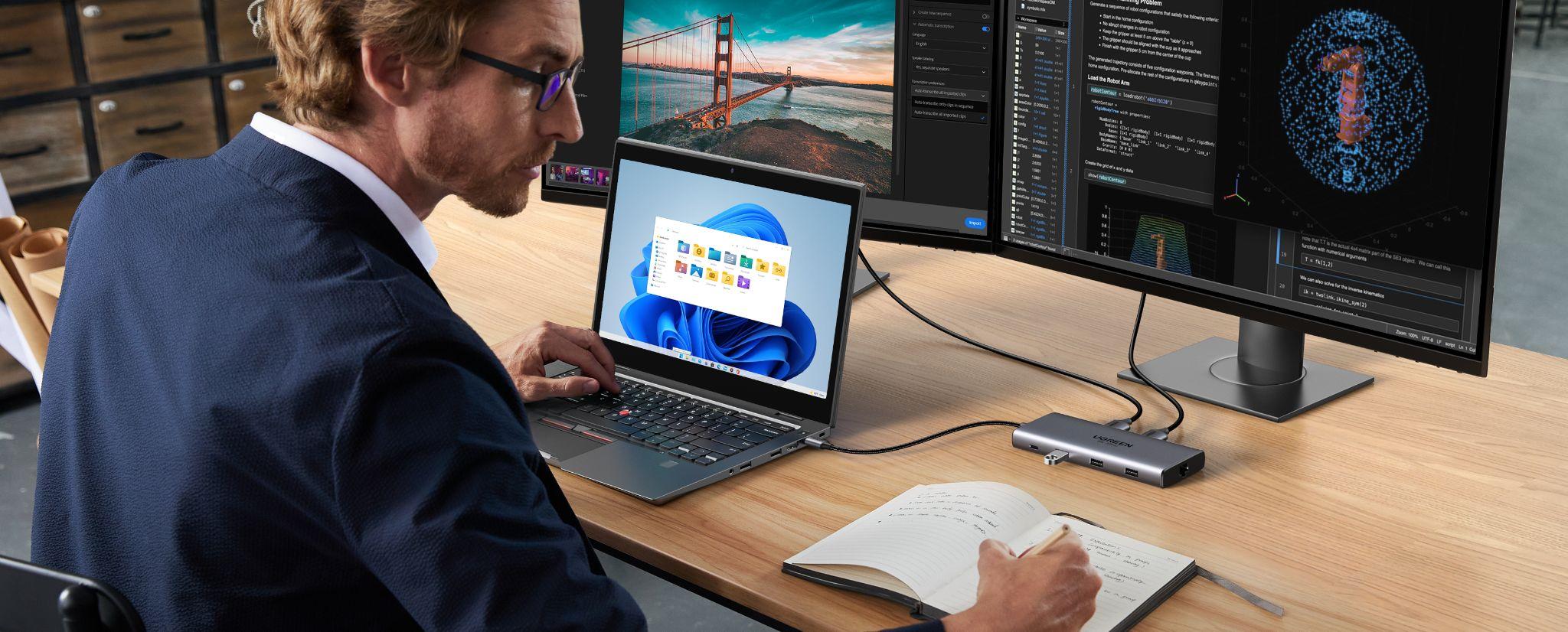
A practical solution is to use a usb hub to expand your laptop’s available ports. This allows you to connect several accessories—such as flash drives, keyboards, and external storage—without constantly unplugging devices. A hub acts as a simple bridge between your laptop and multiple peripherals, helping keep your workspace organized.
For users who rely on USB-C devices, a USB C Hub offers even greater flexibility. These hubs can provide additional USB ports, display outputs, and memory card readers, making it easier to connect several devices at once.
Create a Centralized Connection Point
When managing several peripherals such as monitors, keyboards, storage drives, and networking cables, connecting everything directly to your laptop can quickly become messy.
A centralized solution helps simplify this process. Instead of plugging multiple cables into your laptop every time you start working, you can connect everything through a single device.
This is where a USB C Hub or other connectivity tools become useful. By acting as a central connection point, these accessories allow multiple devices to remain connected while keeping your desk organized and efficient.
Creating a single place where devices connect also makes it easier to switch between a portable laptop setup and a more complete workstation.
Organize Your Workspace
Managing multiple devices is not only about technology—it’s also about organization. A cluttered desk filled with tangled cables and scattered accessories can make it difficult to focus on work.
Simple cable management tools such as clips, sleeves, or organizers can keep cables neatly arranged. Labeling cables or grouping devices together also makes it easier to identify what is connected.
If your workspace includes several accessories, choosing the best usb hub for your setup can help minimize cable clutter by reducing the number of direct connections to your laptop.
An organized workspace improves both productivity and comfort, allowing you to concentrate on tasks without unnecessary distractions.
Use External Displays Effectively
Many professionals use external monitors to improve productivity. A second screen allows you to view multiple applications simultaneously without constantly switching between windows.
For example, you can keep email or messaging apps open on one display while working on documents or creative projects on another. This setup can save time and reduce interruptions during your workflow.
Managing multiple displays becomes easier when your devices are connected through tools such as the best usb hub, which can support additional display connections alongside other peripherals.
Manage Power and Charging
When several devices are connected to a laptop, managing power becomes an important part of maintaining an efficient setup. External monitors, storage devices, and accessories all rely on stable connections and sufficient power.
Using high-quality hubs and accessories helps ensure that your devices receive consistent power and data transfer speeds. This prevents connectivity issues that might interrupt your workflow.
Keeping your cables and charging devices organized also reduces wear and tear on your equipment over time.
Maintain a Balance Between Portability and Functionality
One advantage of laptops is portability, but adding too many accessories can reduce that flexibility. The key is finding a balance between a powerful workstation and a portable setup.
For example, when working at a desk, you may rely on a larger setup with multiple devices connected through a hub. When traveling or working remotely, a smaller configuration may be more practical.
Portable accessories such as a compact usb hub allow you to maintain connectivity without carrying bulky equipment. This flexibility helps you adapt your workspace to different environments.
Keep Your Software Organized
Managing multiple devices also involves maintaining an organized digital environment. Keeping files, applications, and communication tools organized makes it easier to switch between tasks.
Cloud storage services allow files to be accessed from different devices, while productivity tools help track projects and deadlines. Combining well-organized software with an efficient hardware setup ensures that your workflow remains smooth and productive.
Regularly updating your devices and software also helps prevent compatibility issues when connecting new accessories.
Final Thoughts
Managing multiple devices with a laptop does not have to be complicated. With the right approach, you can create a workspace that supports productivity while keeping your setup organized and flexible.
Accessories such as a usb hub, a versatile USB C Hub, or even the best usb hub for your needs can expand your laptop’s connectivity and simplify how devices interact with each other. When combined with smart workspace organization and effective workflow habits, these tools help transform a basic laptop into a powerful and efficient workstation.
By understanding your workflow and choosing the right tools, you can easily manage multiple devices while maintaining a clean, productive workspace.