Meetings generate more information than most people can capture by hand. A client changes a deadline, a manager assigns three follow-up tasks, and someone mentions an important number halfway through a long discussion. By the end, even careful notes may contain gaps.
Recording the meeting does not completely solve the problem. A two-hour audio file preserves everything, but finding one decision later can take longer than the original conversation. The most useful note-taking tools combine handwriting, recording, transcription, and organization so that information remains usable after everyone leaves the room.
Start With the Way You Actually Work
Choosing a device should begin with your normal meeting habits.
Some people think better when they write by hand. Others prefer searchable text and structured summaries. Many need both: handwriting for quick ideas and digital tools for reviewing details later.
A note taking tablet can bring these methods together without the distractions of a conventional laptop. It provides space for handwritten notes while keeping meeting records in a form that can be searched, organized, and shared.
The right device should support your workflow rather than force you into a new one. If it takes too many steps to start a note, label a meeting, or retrieve a previous page, it will probably end up unused.
A Good Meeting Device Should Stay Out of the Way
Technology is most helpful when it does not become the focus of the room. A loud keyboard can distract other participants, while a bright laptop screen may create a barrier during face-to-face discussion.
An E Ink screen offers a quieter and more paper-like experience. Writing with a stylus feels more natural in interviews, planning sessions, and client meetings where constant typing may appear impersonal.
An e ink tablet for note taking is especially useful for professionals who want to write by hand but still need digital storage and retrieval. The screen is designed for reading and writing rather than rapid entertainment, which can make it easier to stay focused on the conversation.
This does not mean every meeting needs a specialized device. A short daily check-in may only require a small notebook. The value becomes clearer when meetings are frequent, detailed, or connected to ongoing projects.
Recording Is Useful Only When It Can Be Reviewed
Audio recording provides a safety net when the discussion moves too quickly to capture every detail. It can help with interviews, research sessions, technical reviews, and meetings involving several speakers.
However, recording alone creates another task. Someone still has to listen again, locate the important sections, and turn them into usable notes.
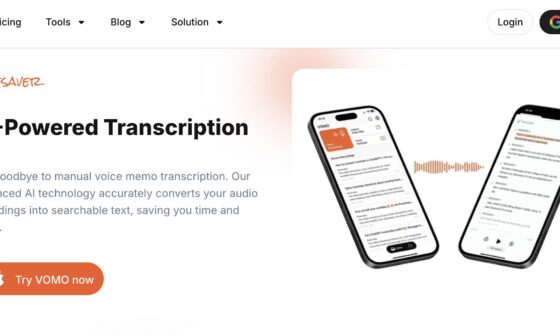
Real-time transcription makes the recording easier to navigate. Instead of replaying the entire file, users can search for a name, product, number, or topic. When handwritten notes are connected to the audio timeline, tapping a written point can also help locate the relevant part of the discussion.
Accuracy will vary with room noise, speaking distance, accents, and specialist vocabulary. Product names and technical terms should always be checked before meeting notes are shared.
Participants should also know when a meeting is being recorded. Workplace rules and local privacy laws may require notice or consent.
Summaries Need Human Review
Automatic summaries can save time by identifying discussion points, decisions, and possible tasks. They are useful as a first draft, particularly after long meetings.
But a summary should not become the official record without review. Software may mistake an idea for a decision or assign a task to the wrong person. It may also overlook tone, disagreement, or conditions attached to an agreement.
The meeting owner should compare the summary with handwritten notes and the transcript. Dates, amounts, names, responsibilities, and deadlines deserve particular attention.
A practical routine is to review the summary immediately after the meeting, while the context is still fresh. Five minutes of checking at that point is usually more effective than trying to reconstruct the discussion several days later.
Organization Matters More Than Storage
A device can hold thousands of pages and still become difficult to use. The real question is whether a note can be found when it is needed.
Before adopting a system, decide how meetings will be named and filed. A simple structure might use the client or project name, followed by the date and meeting type. Tags can identify decisions, risks, follow-up tasks, or topics that appear across several projects.
Search should work across typed text, transcriptions, and converted handwriting where supported. This allows users to locate information without remembering exactly which notebook or folder contains it.
Too many folders and tags can create extra work. A small, consistent structure is usually better than an elaborate system that nobody follows.
Turn Notes Into Actions
Meeting notes have limited value if tasks remain buried in a page of discussion.
During the meeting, mark action items in a consistent way. A circle, star, or written label can separate tasks from general notes. Afterward, review each action and add an owner and due date.
If the device connects with calendars or other productivity tools, check how that synchronization works before relying on it. Confirm that changes appear on the correct account and that sensitive information is not being shared more broadly than intended.
Even without automatic synchronization, a short follow-up process can work well:
- Confirm the decisions.
- List each task with an owner and deadline.
- Send the agreed summary to participants.
- File the detailed notes under the correct project.
- Review open tasks before the next meeting.
This process is simple, but it prevents information from disappearing into a digital archive.
Consider Portability and Battery Life
A meeting device should be easy to carry and ready to use. Weight matters for employees who move between offices, client sites, classrooms, or conferences.
Battery life is equally important. A device that requires constant charging introduces another point of failure. Check how long it lasts during realistic use, including writing, recording, transcription, wireless synchronization, and screen lighting if available.
Storage and export options should also match the organization’s needs. Users may need to move notes to a computer, share a document, or keep a local backup. Before buying, confirm the supported file formats and whether essential information remains accessible without a subscription.
Protect Sensitive Meeting Information
Meeting notes may contain customer details, product plans, financial information, or internal decisions. Security should therefore be part of the buying decision.
Review how the device protects information while it is stored and transferred. Check account controls, authentication options, cloud settings, and the ability to remove data if the device is lost.
Organizations with strict compliance requirements should involve their IT or security team before adopting any recording or transcription tool. Convenience is important, but it should not override existing data policies.
The best meeting device is not the one that promises to remember everything automatically. It is the one that helps people listen during the conversation, verify the details afterward, and turn useful information into clear action.