Seeing Differently, Living Fully
Vision changes touch every corner of daily life. A recipe card shrinks into a blur. Street signs feel farther away than they are. The smallest details can suddenly ask for more patience. Experiences vary widely. Some people notice a slow fade in clarity. Others face sudden shifts from conditions like macular degeneration or glaucoma, conditions that may require specialized care such as amd treatment to slow progression and preserve remaining vision. The shared goal remains steady: make everyday tasks feel manageable, familiar, and less stressful.
Modern low-vision aids are designed to support that goal. They do not replace sight. They reframe it. With the right tools, routines feel smoother, choices feel broader, and independence grows. Think of these aids as a set of well-placed handrails on a staircase. The steps do not change, yet the climb becomes safer and steadier.
Everyday Helpers That Smooth Routine Tasks
Small adjustments deliver big relief. Large-print labels on pantry items avoid guesswork. High-contrast cutting boards highlight ingredients. Bold markers on calendars keep schedules in view. Even simple tactile stickers on washer dials can turn an obstacle into a one-touch success. When tasks stop demanding constant problem-solving, energy returns to the activities that bring joy.
Cooking, paying bills, managing medications, and reading instructions all benefit from the same principle. Reduce visual strain, boost clarity, and add cues that do not depend on sight alone. The result is confidence in motion.
Magnification That Fits the Task
Magnifiers are the workhorses of low-vision support. Different tasks call for different designs.
Handheld magnifiers shine in quick situations such as checking a price tag or scanning a menu. They are light, portable, and ready in a pocket. Stand magnifiers offer stability for longer reading sessions, perfect for newspapers, letters, or craft work. Some people prefer dome magnifiers that glide smoothly across a page and gather light as they magnify.
Lighting and contrast elevate magnification. Many optical magnifiers now include LEDs, which make text sharper in dim rooms. Electronic video magnifiers raise versatility. They project an enlarged image onto a screen, letting users adjust zoom, brightness, and color modes. High-contrast settings such as white text on black, or yellow on blue, can make letters leap off the page. For mail, recipes, forms, and labels, these tweaks turn a chore into a flow.
Light That Guides Instead of Glare
Light can be a compass or a floodlight. Aim for the compass. Task lighting focuses brightness where it is needed. Adjustable desk lamps direct a beam onto a book without washing out the room. Under-cabinet lights make counters safer and clearer. Full-spectrum or daylight bulbs provide a natural color tone that many people find comfortable.
Placement matters as much as power. Position lamps to the side and slightly behind the shoulder to cut glare. Use matte finishes on tables and counters to avoid reflection. Dimmer switches and multi-level brightness controls help tailor light to time of day and task. A small clip-on lamp can turn a favorite chair into a reading nook.
Let Your Devices Talk Back
Hearing information can bypass visual bottlenecks. Talking watches, clocks, thermometers, and kitchen scales tell you what you need to know without squinting. Timers that speak remove the guesswork from cooking and exercises. Label readers that announce recorded notes keep storage bins and files organized.
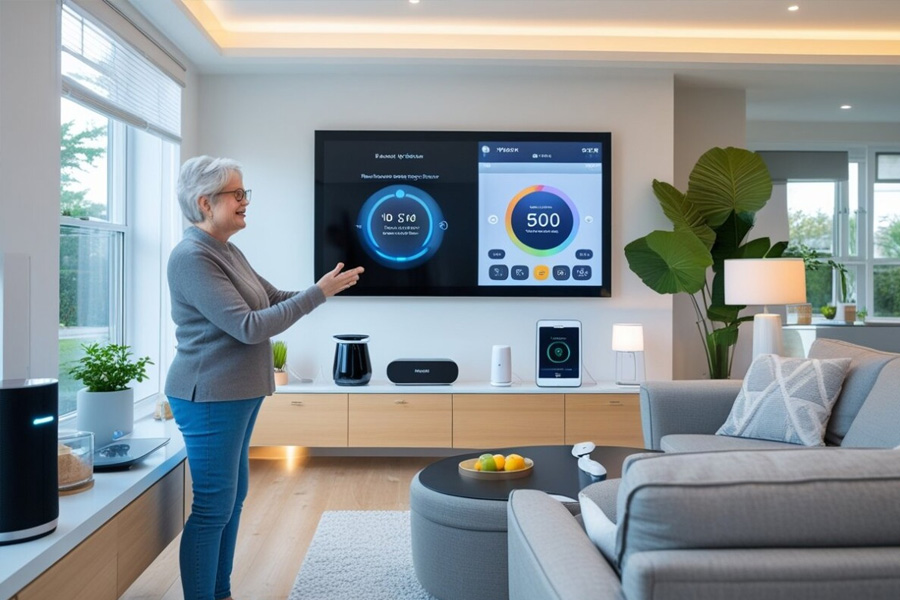
Smart speakers and voice assistants multiply this effect across the home. Set reminders, check the weather, dictate a text, start a playlist, or create a grocery list using your voice. The device answers clearly. That means less time wrestling with tiny buttons and more smooth forward motion.
Built-In Accessibility You Already Own
Modern phones and computers arrive with accessibility suites ready to go. Start with text size, bold text, and system-wide zoom. Add high-contrast themes, larger icons, and color filters. Try dark mode or invert colors if bright backgrounds cause discomfort. Increase cursor size and adjust pointer speed. On touchscreens, enable magnification gestures to zoom in quickly when needed.
Audio features are equally powerful. Screen readers can speak everything on the screen. Speak-to-type functions convert voice into messages and emails. Dictation turns long typing sessions into a few clear sentences. For those with central vision loss, shifting interface contrast or moving key controls nearer to screen edges can reduce strain and make navigation feel intuitive.
Apps and Wearables for Life on the Go
Apps tuned for low vision transform the world into one you can hear, feel, and quickly interpret. Navigation apps describe turns and landmarks. OCR apps read printed text aloud from mail, menus, or signs. Object and currency recognition tools identify items with a quick snapshot. Barcode scanners can provide product names, ingredients, and instructions.
Wearables add discreet, real-time assistance. Smart glasses enhance contrast or read nearby text through a small speaker. Portable readers sit over a page and speak in a natural voice. Some devices recognize faces or announce who is at the door. Together, these tools reduce hesitation at crosswalks, in shops, and on public transit.
Connection matters too. Group chats and video calls make it easier to share updates, ask for help, and stay social. When reading or typing is tiring, a quick voice message keeps friendships strong.
Coaching, Training, and the Right Fit
The best tool is the one matched to your eyes, your habits, and your goals. Low-vision rehabilitation specialists help make that match. During a personalized assessment, you can test different magnifiers, lighting setups, and device settings. Training sessions build comfort with new techniques. You learn not only what to use, but how to use it efficiently.
Support groups and low-vision clinics offer practical ideas that only lived experience can produce. Bump dots on appliance controls. Color-coded medication boxes. Large-print planners. Raised-line paper for writing straight. These small additions feel like a set of anchors in a changing sea.
Simple Strategies for a Clearer Home
Order and contrast reduce friction. Keep frequently used items in consistent locations. Choose bold labels with thick, black lettering. Use contrasting trays to group items by task, such as a coffee station or a mail corner. Select rugs and placemats that stand out clearly from the floor or table. In the bathroom, pick towels and soap bottles that contrast with the wall tile.
Paths matter. Keep floors clutter-free to avoid tripping hazards. Add tactile markers to remote controls and thermostats so common buttons are easy to find by touch. Store measuring cups and spoons with raised or large-print markings. Small steps like these remove guesswork and add momentum to every day.
FAQ
What is low vision, and how is it different from blindness?
Low vision describes a level of visual impairment that cannot be fully corrected with glasses, contacts, or surgery, yet some useful vision remains. People with low vision often benefit from magnification, lighting, and contrast adjustments. Blindness typically involves very limited or no vision. Many supports overlap, but the tools and strategies are tailored to remaining vision.
How do I choose the right magnifier strength?
Stronger magnification is not always better. Higher power often means a smaller field of view and closer working distance. Start with the least magnification that makes text comfortable. Try different styles such as handheld, stand, and electronic video magnifiers. A low-vision specialist can fine-tune the choice based on your reading distance and lighting.
Are full-spectrum bulbs best for everyone?
Not always. People like daylight or full-spectrum bulbs because colors look natural and contrast improves. Some like warm colors, especially at night. The perfect bulb lowers glare and eye strain while highlighting details. Adjust bulb temperature and brightness and position lamps to eliminate reflections.
Which phone accessibility features should I try first?
First use bold and large lettering, then system zoom. Size icons and cursors, increase contrast, and test color filters. Enable talk selection to read highlighted text. Allow message and note dictation. To determine which adjustments are most beneficial, adjust parameters gradually.
Do video magnifiers replace prescription glasses?
They serve different purposes. Glasses correct refractive error and may improve overall clarity. Video magnifiers provide adjustable enlargement and contrast for specific tasks like reading bills or labels. Many people use both. Glasses for general viewing, magnifiers for detail work.
How can I cut glare at home and outside?
Use matte surfaces when possible, and aim task lights from the side rather than straight on. Choose window coverings that diffuse sunlight. Wear wraparound sunglasses with good UV protection outdoors. Indoors, try lower-glare bulbs and avoid shiny countertops or high-gloss finishes in key work areas.
Where can I get help finding the right tools?
A low-vision clinic or rehabilitation specialist can provide a comprehensive assessment. They can recommend magnifiers, lighting setups, accessibility settings, and training. Community organizations and support groups also share practical tips that streamline home routines and technology use.
Are smart glasses and wearables worth it?
They can be, depending on your needs and comfort with technology. Smart wearables may enhance contrast, read text, or provide navigation cues. Consider how and where you would use them, try devices in person if possible, and weigh battery life, fit, and audio clarity. The right device should make frequent tasks faster and less tiring.