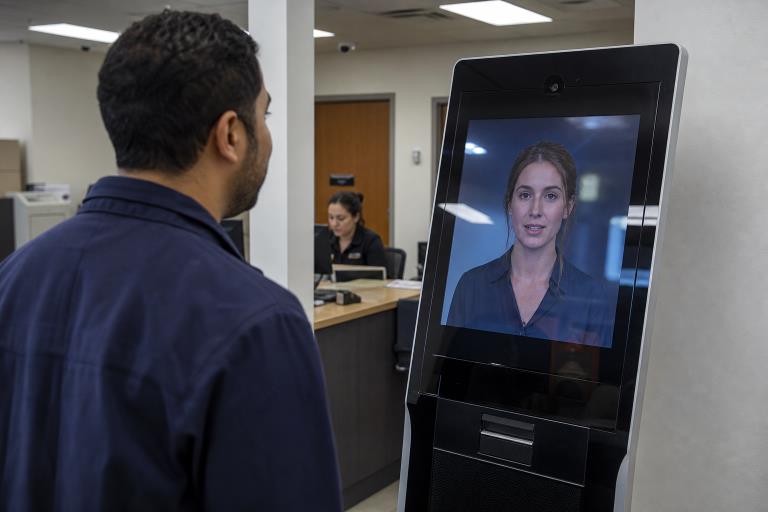
Customer service is moving beyond text chat boxes. A real-time AI assistant avatar gives users a visual, conversational interface that can listen, speak, answer questions, and guide them through simple tasks. For some organizations, that can make self-service feel more approachable than a search bar or long help-center article.
Still, an avatar does not automatically provide better support. The value comes from useful answers, clear boundaries, accessible design, and an easy way to reach a person. The most effective deployments treat the avatar as a practical service layer for focused tasks, not as a substitute for human judgment.
What Are Real-Time AI Avatars?
A real-time AI avatar is a digital character that responds during a live interaction. It may appear as a human-like presenter, a stylized guide, or a branded character. Unlike a pre-recorded spokesperson video, it can react to what a user says or types, then generate a new response in the moment.
The avatar is the visible layer of a broader system. Speech recognition captures spoken input, an AI model interprets the request, a knowledge source supplies approved information, text-to-speech creates an answer, and animation synchronizes facial movement and gestures. Realism matters less than clarity. A useful avatar listens accurately, answers plainly, and helps the user take the next step.
Why Support Teams Are Testing Them
Support teams face familiar pressures: customers expect quick answers, service demand does not stop after business hours, and agents spend substantial time handling repeat questions. An avatar can offer a more conversational way to handle routine requests while people focus on exceptions, complaints, account problems, and emotionally sensitive situations.
That does not mean every interaction should be automated. A good service design separates predictable questions from cases that need empathy, discretion, or authority. Organizations should assess risks and test outcomes rather than adopting AI simply because competitors are doing so. The NIST AI Risk Management Framework offers a useful starting point for thinking systematically about trustworthy AI use.
The Best Use Cases
Real-time avatars work best when the task has clear information, repeatable steps, and a low consequence if the system needs to hand the conversation to a person.
Customer And Website Support
- Frequently asked questions:Explain store hours, return policies, product features, shipping steps, or basic account actions. Transfer users when policies conflict or account-specific review is required.
- Website guidance:Help visitors locate forms, support articles, products, or eligibility information. A human should take over if the visitor cannot complete a transaction or reports an error.
- Appointment scheduling:Gather basic details, show available times, and confirm bookings. Escalate requests involving urgent needs, complex changes, or sensitive information.
Internal, Educational, And Public-Facing Support
- Employee onboarding:Walk new hires through common systems, policies, and workplace procedures, while routing benefits, payroll, or workplace concerns to the right team.
- Training practice:Simulate customer conversations so employees can practice product explanations, de-escalation, and handoff skills in a low-risk setting.
- Education and public information:Provide guided explanations, language practice, campus directions, exhibit context, or service-center information. Teachers, staff, and specialists should remain available for nuanced questions.
How They Work Behind The Scenes
A typical interaction follows five steps: the user speaks or types, the system transcribes or interprets the request, the AI retrieves relevant approved material, it produces a response, and the avatar delivers that response through voice and animation. Low delay is important. Long pauses make a live exchange feel awkward and can cause users to abandon the interaction.
Retrieval systems are especially important because they connect answers to current help pages, policies, product data, or internal documents. However, an avatar cannot compensate for weak source material. Outdated, incomplete, or contradictory knowledge will produce unreliable guidance, even when the voice and facial animation look polished.
Where They Help Most
The strongest opportunities are high-volume, low-risk situations where users need quick guidance or a simple explanation. Examples include self-service websites, multilingual information desks, product demonstrations, training portals, and service windows with predictable questions.
They are less suitable when the task requires deep judgment, access to sensitive records, legal authority, emotional care, or a decision that could significantly affect someone’s health, finances, safety, employment, or rights.
Limits And Risks To Consider
- Confident but incorrect answers:A polished delivery can make a wrong response seem more credible.
- Frustrating handoffs:Users lose trust if human support is hidden behind repeated automation.
- Unnatural interaction:Stiff expressions, poor lip synchronization, or misunderstood accents can distract from the task.
- Accessibility gaps:Users still need readable text, captions, keyboard controls, and alternatives to voice and video.
- Cost surprises:Video rendering, language coverage, integrations, storage, and traffic spikes can increase operating costs.
Privacy, Disclosure, And Trust
People should know when they are interacting with AI. Clear disclosure, visible human-support options, and plain explanations of data use are essential. Organizations should collect only information needed for the task, set retention periods, protect recordings and transcripts, and verify that avatar images and voices are properly licensed or created with consent.
Privacy promises should match actual practices. The Federal Trade Commission’s privacy and security guidance reinforces practical principles that matter here: minimize sensitive data collection, secure what is collected, and be clear about how information is used. Sensitive conversations should not be added to training data without appropriate safeguards and permission.
How To Plan A Small Pilot
- Choose one narrow task.Start with a defined question set, such as order-status guidance or appointment booking.
- Create a trusted answer source.Use current policies, help articles, and approved internal documents.
- Set firm boundaries.Identify topics the avatar must refuse, defer, or escalate immediately.
- Build a clear handoff.Let users reach a person without repeating the entire conversation.
- Test realistic interactions.Include accents, interruptions, slang, incomplete requests, and accessibility needs.
- Launch gradually.Review failures, update source material, and expand only when results justify it.
Metrics To Track
Speed alone is not success. Track resolution rate, human transfer rate, repeat contact rate, answer accuracy, average response time, user satisfaction, accessibility feedback, cost per completed interaction, and privacy or safety incidents. Compare results with the existing support process, not merely with the avatar’s internal performance.
What Comes Next
Customer service tools are likely to become more voice-driven, visually interactive, and connected to business systems. Faster responses, better retrieval, multilingual support, and carefully limited memory may make avatars more helpful. But appearance will not create trust on its own. Trust comes from accuracy, disclosure, respectful design, and reliable escalation to people.
Conclusion
Real-time AI avatars are most valuable as focused service tools. They can reduce friction for common questions, help users navigate information, and give teams another option for routine support. The strongest use cases keep the scope narrow, protect privacy, measure real customer outcomes, and ensure that a capable human is available when the situation calls for one.